
$41.81
Add to Cart
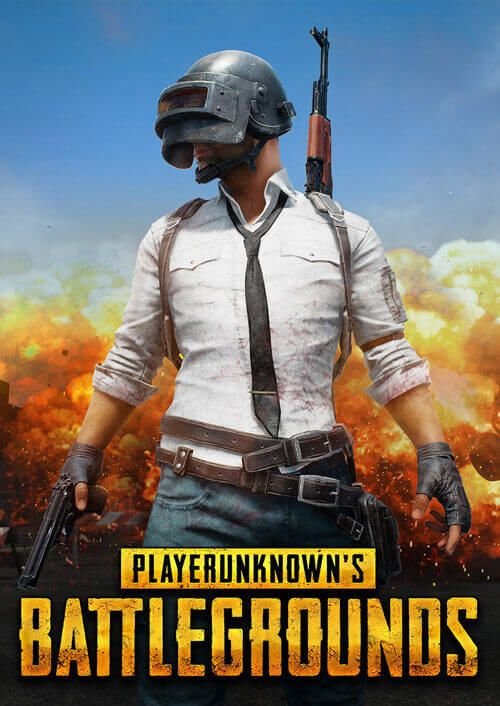
PlayerUnknowns Battlegrounds (PUBG) PC
More than 10 available
Details
Shipping: Australia: free (more destinations)
Condition: Brand new
Returns: 14 days, buyer pays return shipping (more)
*The store has not been updated recently. You may want to contact the merchant to confirm the availability of the product.
Your game key is emailed to you within 12 hours of your purchase - please allow us this time to prepare and send your key.
No region lock - can be used in any country.
The top 3 reasons to play PlayerUnknowns Battlegrounds:
1. PlayerUnknowns Battlegrounds is an exciting battle royale shooter pitting 100 players in the fight for survival.
2. Set in a high-tension, 8x8 kilometre island map, players are dropped from the sky with the goal to survive. Starting with nothing, players gather supplies and weapons, and battle until only one is left standing.
3. PlayerUnknown, aka Brendan Greene, is the creator of the battle royale game modes in the ARMA series and H1Z1: King of the Kill. Greene is working with veteran developers to make PUBG the ultimate battle royale experience.
Activate with Steam:
Ensure that you are activating your game through the Steam application. The Steam website cannot be used to activate a game.
1. Download and install the Steam client on your PC.
(https://store.steampowered.com/about/), then sign up and log in.
2. Locate the Steam key in your email from us, and copy it to your clipboard by pressing “Ctrl+C”.
3. Open the Steam client and locate the “+ ADD A GAME...” button on the bottom left of the window. Click this and choose the “Activate a Product on Steam…” option.
4. Paste the key from your clipboard in the “Product Code” section when asked, and follow the rest of the prompts to add the game to your library.
5. Your game is now viewable in the “Library” tab, and is available to download/install when you’re ready!
You can find additional support for the Steam client here: https://help.steampowered.com/en/wizard/HelpWithSteam
Release Date: 23rd March 2017
Platform: Steam
Region: Worldwide
Language: Chinese Traditional, Danish, Dutch, English, English-US, Finnish, French, German, Italian, Japanese, Korean, Polish, Portuguese, Russian, Spanish, Swedish
No region lock - can be used in any country.
The top 3 reasons to play PlayerUnknowns Battlegrounds:
1. PlayerUnknowns Battlegrounds is an exciting battle royale shooter pitting 100 players in the fight for survival.
2. Set in a high-tension, 8x8 kilometre island map, players are dropped from the sky with the goal to survive. Starting with nothing, players gather supplies and weapons, and battle until only one is left standing.
3. PlayerUnknown, aka Brendan Greene, is the creator of the battle royale game modes in the ARMA series and H1Z1: King of the Kill. Greene is working with veteran developers to make PUBG the ultimate battle royale experience.
Activate with Steam:
Ensure that you are activating your game through the Steam application. The Steam website cannot be used to activate a game.
1. Download and install the Steam client on your PC.
(https://store.steampowered.com/about/), then sign up and log in.
2. Locate the Steam key in your email from us, and copy it to your clipboard by pressing “Ctrl+C”.
3. Open the Steam client and locate the “+ ADD A GAME...” button on the bottom left of the window. Click this and choose the “Activate a Product on Steam…” option.
4. Paste the key from your clipboard in the “Product Code” section when asked, and follow the rest of the prompts to add the game to your library.
5. Your game is now viewable in the “Library” tab, and is available to download/install when you’re ready!
You can find additional support for the Steam client here: https://help.steampowered.com/en/wizard/HelpWithSteam
Release Date: 23rd March 2017
Platform: Steam
Region: Worldwide
Language: Chinese Traditional, Danish, Dutch, English, English-US, Finnish, French, German, Italian, Japanese, Korean, Polish, Portuguese, Russian, Spanish, Swedish


 GB, East Sussex